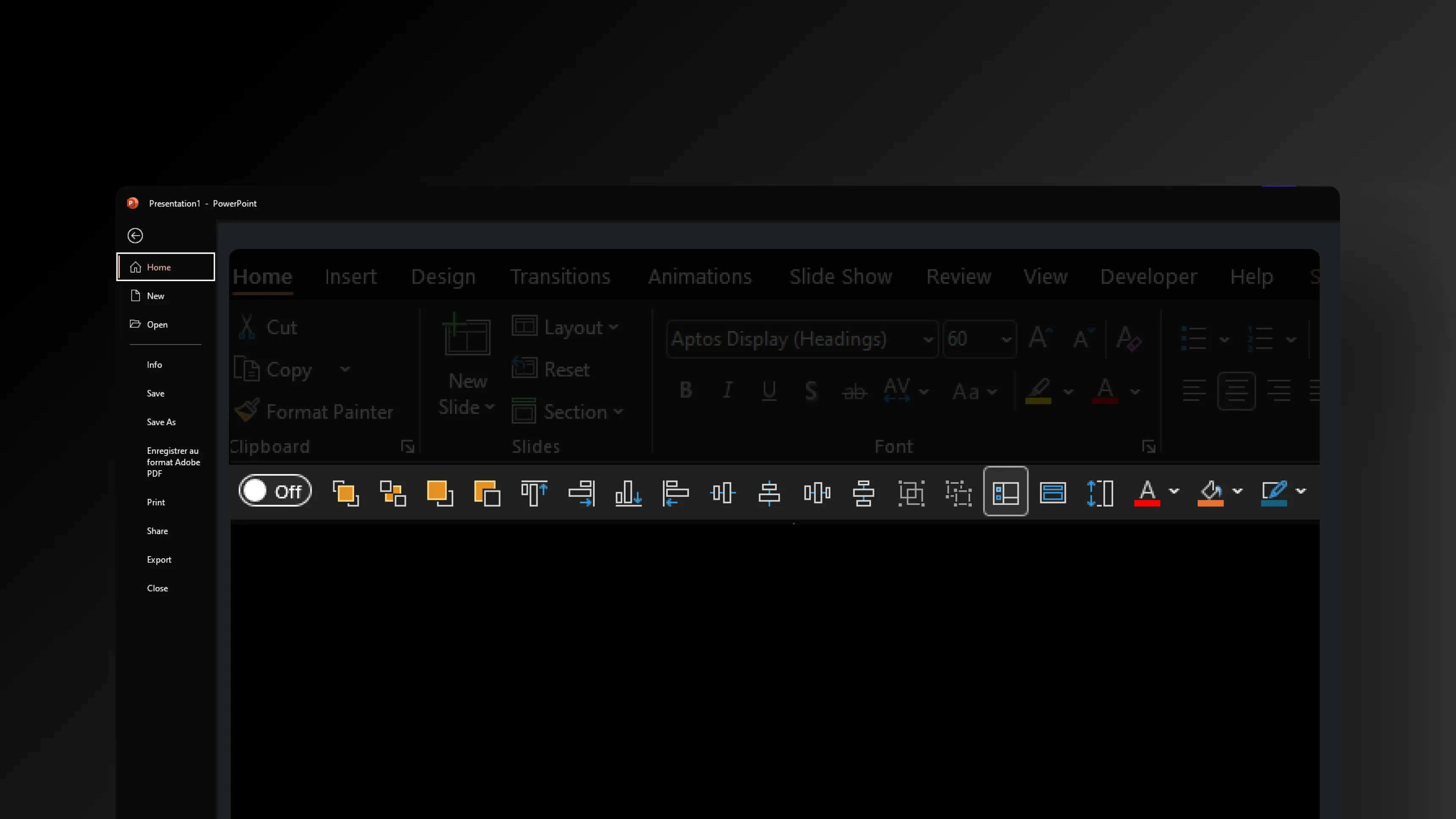
Standard PowerPoint ribbons bury your most-used features, forcing you to waste time on repetitive clicks on PowerPoint. To boost your productivity, we’ve centralized essential tools into one quick-access toolbar, saving you time on every single action.
What's in the download
- A quick access toolbar for PowerPoint
- Different file for Windows & Mac PowerPoint versions
- .pptx file compatible with PowerPoint 2016, 2019, 2021 and Microsoft 365
How do I install the quick access toolbar?
1. Download the Toolbar to your desktop.

2. Open PowerPoint
3. Go to File > Options > Quick Access Bar

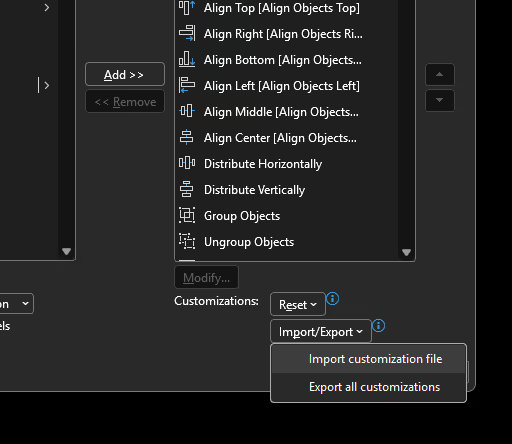
4. Click Import/Export > Import Customization File and select the uploaded file SlidorToolbar.ExportedUI
Your toolbar is installed!
What is a PowerPoint toolbar?
A PowerPoint toolbar is a turnkey solution that allows you to quickly add practical features and shortcuts directly into your PowerPoint software. There's nothing to install, you simply import it into PowerPoint and start using it right away.
Is the PowerPoint toolbar really free?
Yes, it is 100% free. No hidden fees, subscriptions, or licenses are required to use it. Download it and enjoy all of its features without restrictions.
Do I need to install software or extensions to use this toolbar?
No, there is nothing to install. Our toolbar works like a PowerPoint file ready to be imported directly into your software, whether on Mac or PC.
Is the toolbar compatible with PowerPoint for Mac and PC?
Yes, our toolbar is compatible with Mac and PC versions of PowerPoint. You can use it with no problem on major recent versions of Microsoft PowerPoint. Be sure to download the correct file for each Mac or PC.
What types of features are included in this toolbar?
The rapid alignment of objects and their distribution.
Direct access to custom color palettes.
Simplified management of fonts and styles.
Tools to insert shapes or images in one click.
Direct access to custom color palettes.
Simplified management of fonts and styles.
Tools to insert shapes or images in one click.
Does this toolbar work with all versions of PowerPoint?
Yes, since PowerPoint 2007.
Can I customize the PowerPoint toolbar to suit my needs?
Yes, you can customize some toolbar features directly in PowerPoint to suit your specific needs. In reality, a toolbar is simply a series of shortcuts.
Does this toolbar work with PowerPoint Online?
No, this toolbar is designed for desktop versions of PowerPoint on Mac and PC. It is not compatible with PowerPoint Online.
Can I share this ppt toolbar?
Yes, you can share the file directly or send them the link to our site so they can also download it for free.
Why offer a toolbar on PPT?
To help our customers maintain and modify their presentations more quickly, and more generally to offer a small quality tool to anyone who wants to go faster on PowerPoint.





.webp)
.webp)
.webp)